Forge
A 57-table execution-monitoring SaaS, delivered in about 10 weeks against a 14 to 21 week plan
How it works
From a two-minute check-in to an alert a human admin acts on. The system recommends; the admin decides.
Daily check-in
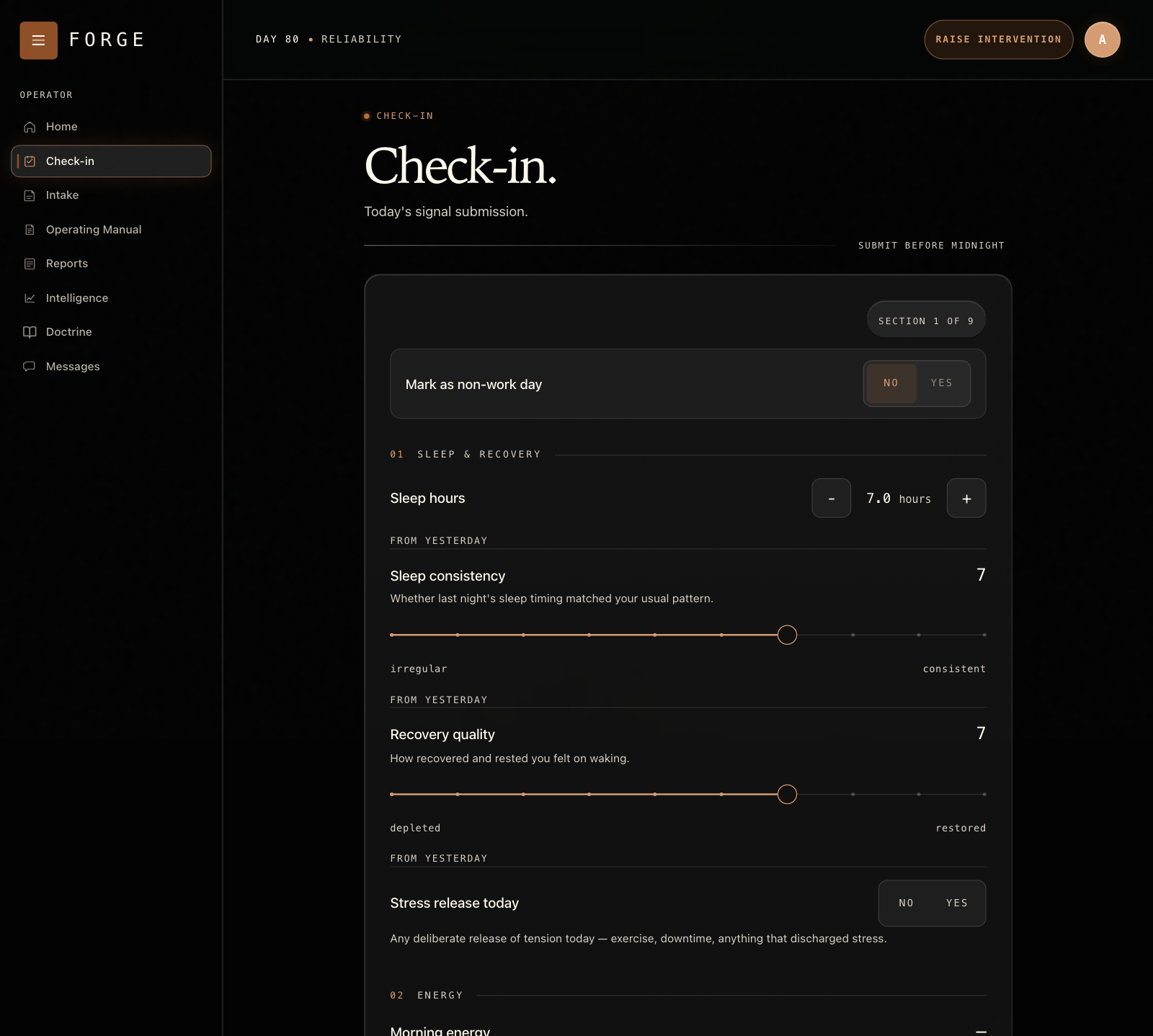
The user answers a two-minute check-in, which is validated and stored.
Compute
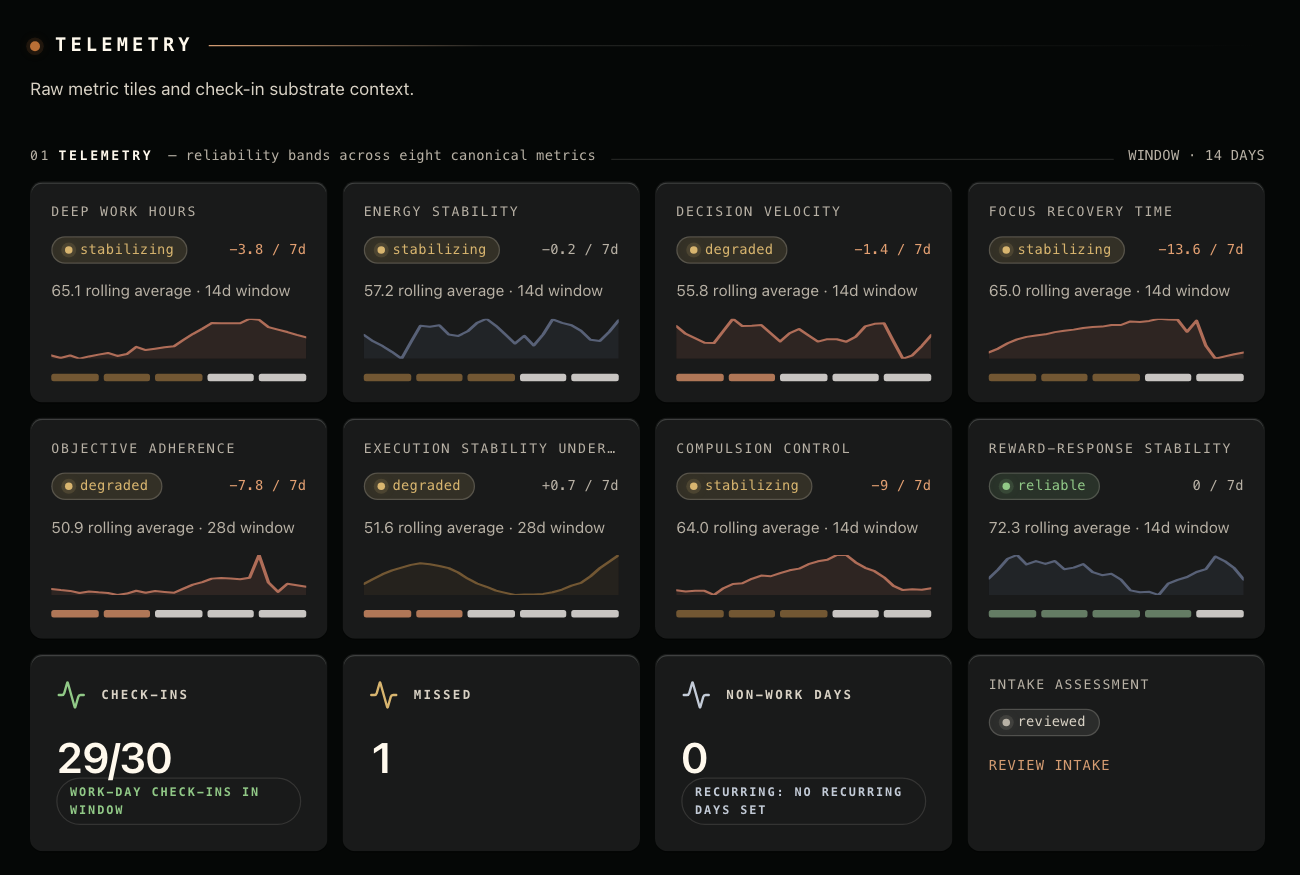
A pipeline computes 10 diagnostic variables and 8 metrics from the last 30 days.
Stable bands
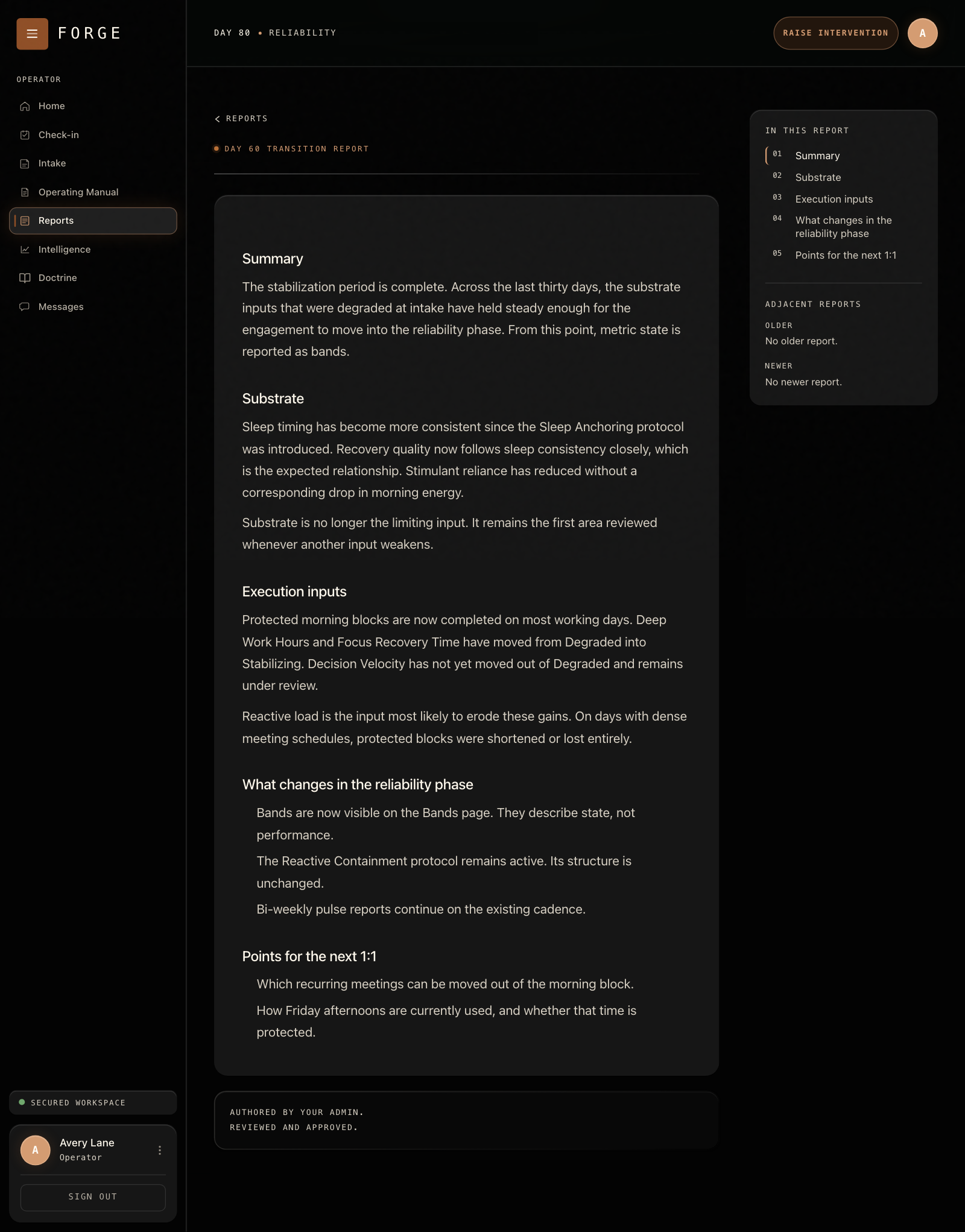
Each metric sits in one of five bands, and a band changes only after the score moves clearly past a boundary and stays there.
Watch for a slide
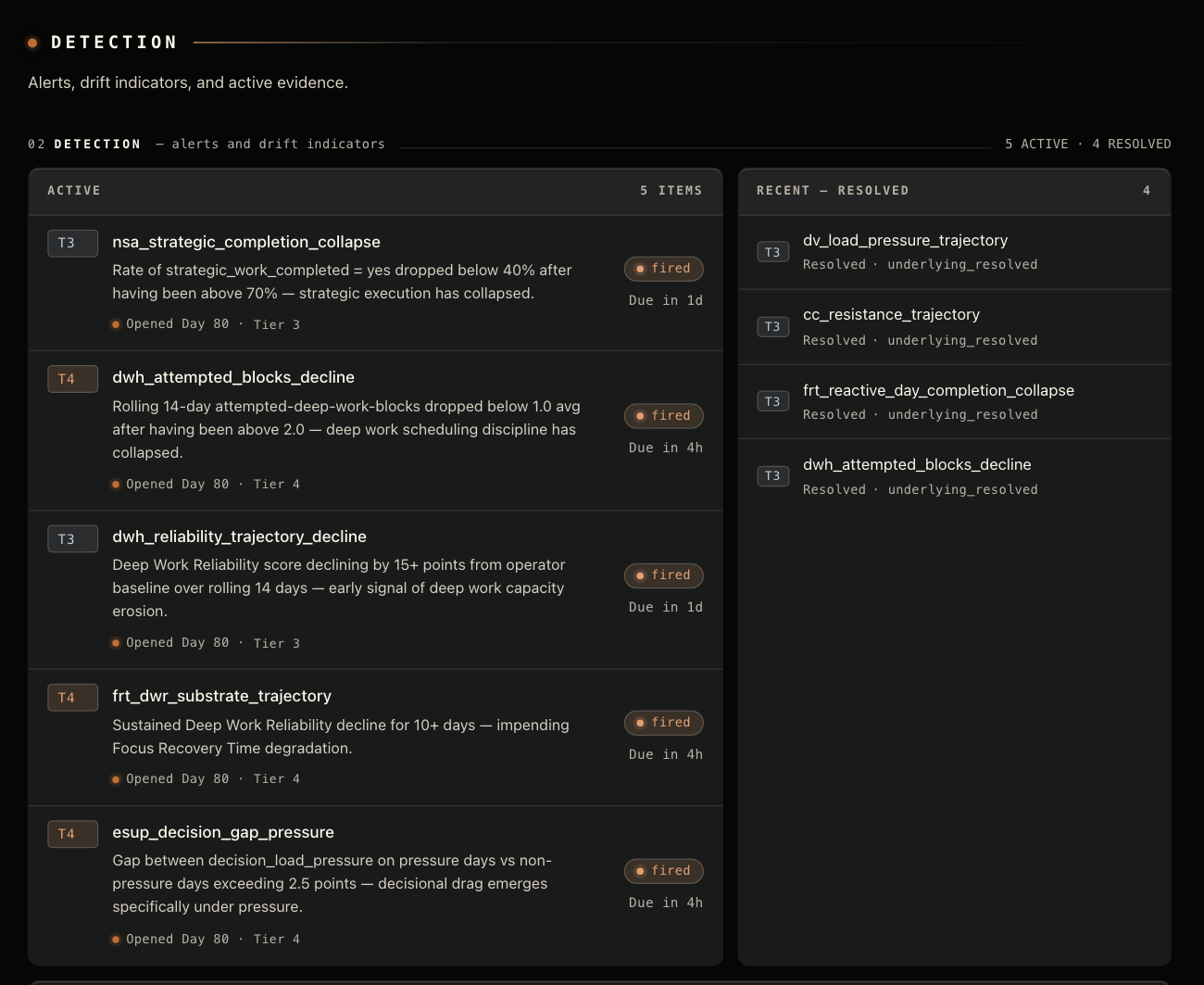
Sustained shifts raise alerts, with their evidence. Non-work days don't count as missed.
Admin work queue
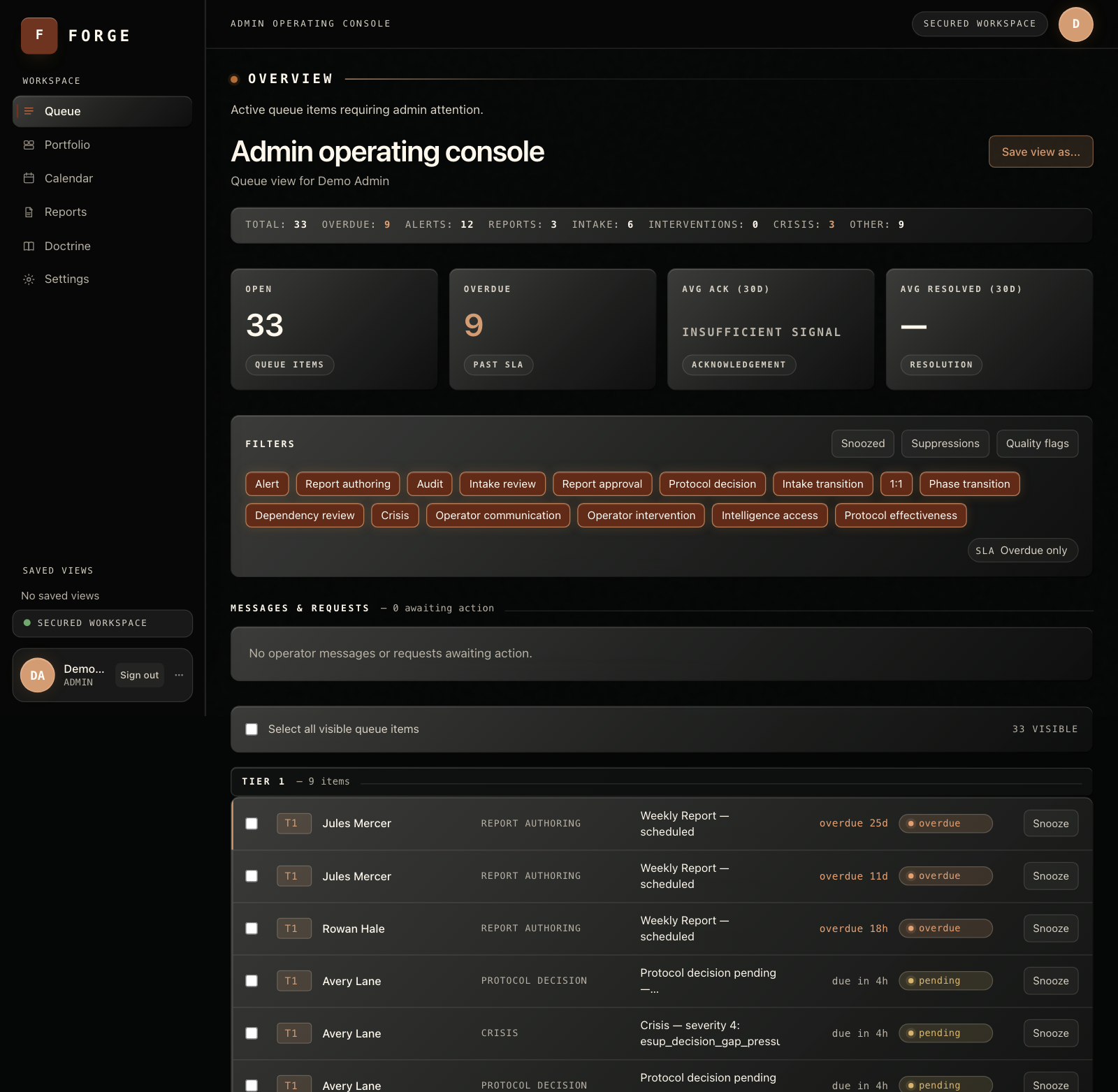
Alerts land in the admin's queue with the evidence attached.
The admin decides
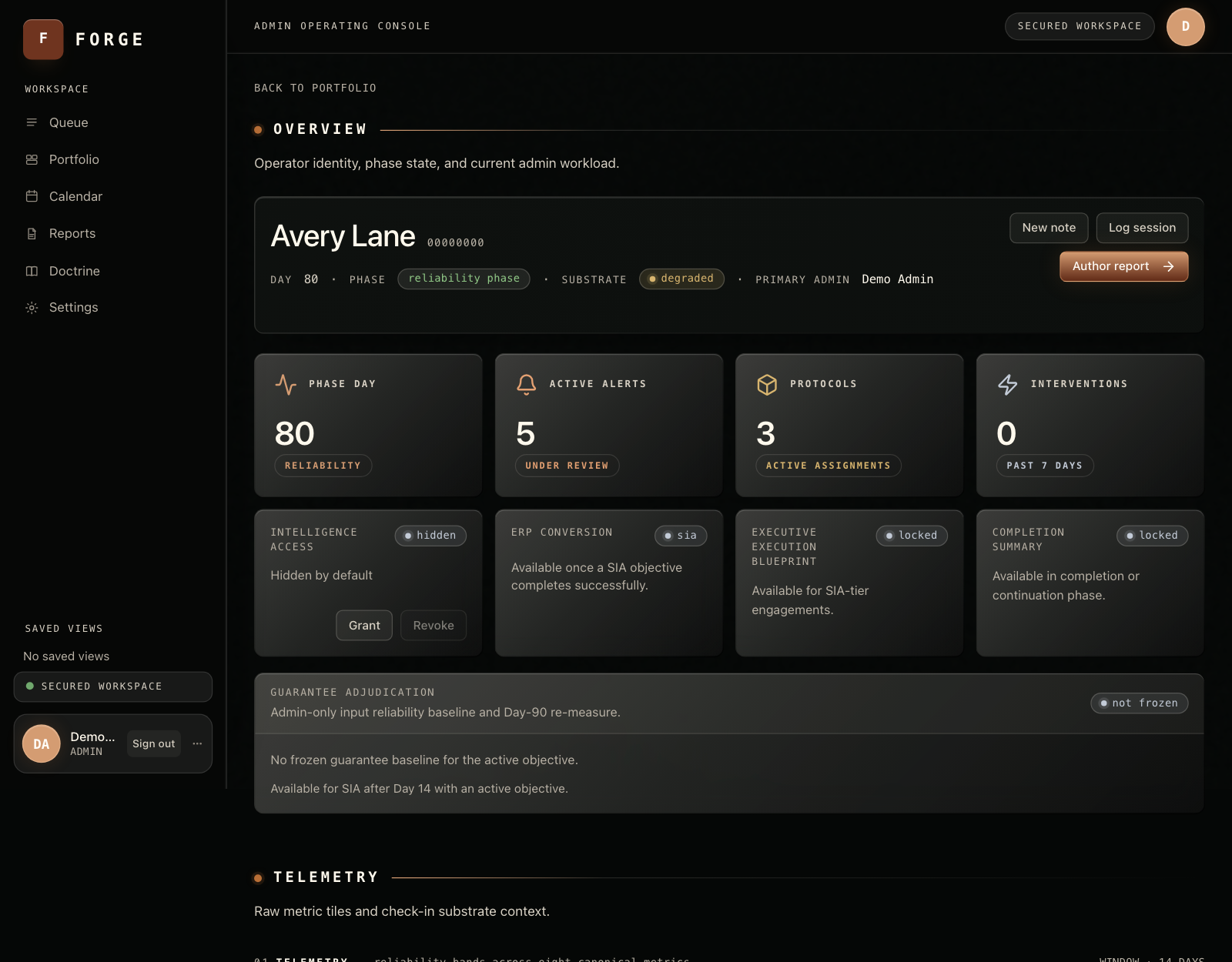
Every consequential action has a human gate. Users see their own trends, never raw scores.
A person decides
The outcome
Version 1 of a 57-table SaaS in about 10 weeks against a 14 to 21 week plan, with about 2,000 automated tests, built in gated phases that each closed on my sign-off. Its alerts change status only after a sustained shift: 0 false status flips in testing, against 13 for a simple rule.
The problem
Under pressure, a leader's working inputs slip first: focus time, meeting load, decision load, sleep. The results show it weeks later. Forge takes a two-minute daily check-in, turns it into 8 metrics, watches for a sustained slide, and raises an alert for a human admin, who decides what to do.
What I decided
The project ran on a written rulebook that every agent read at the start of every session. It included:
- The system recommends and the admin decides. Every consequential action has a human gate.
- Users see less than the system knows. Raw scores and alerts were admin-only, enforced by the database's own access rules. I later relaxed this on purpose, so users could see their own trends, and recorded why.
- No streaks, badges or engagement tricks, and no rankings or reports built to be used against the person.
- My sign-off on any change to the database structure, security rules or user-facing wording, and on every move to the next phase.
How it was built
Claude drafted each phase's spec from my decisions, Codex wrote the code, and I reviewed and tested each phase before closing it at a tagged version. Each check-in is validated and stored. A pipeline then computes 10 diagnostic variables and 8 metrics from the last 30 days, places each metric in one of five bands, and sends alerts with their evidence into the admin's work queue.
Two decisions I'd point to:
- Stable status. A band changes only after the score moves clearly past a boundary and stays there. Without that, a score hovering near a line flips back and forth, and every report shows noise as news.
- The weekend problem. I asked whether the system handled weekends. It didn't. Every day without a check-in counted as missed, and missed days escalate, so anyone who rested at the weekend would have triggered a crisis alert every Monday. All the tests were green. I directed the fix, a non-work-day setting, and confirmed it in simulation.
Results
- Delivery: 57 tables and about 2,000 automated tests in about 10 weeks, against a 14 to 21 week plan.
- Stable status: 0 false status flips against 13 for a simple rule.
- Weekends: 0 false Monday alerts against 2.
- Early warning: in a 60-day simulation, a slow sleep decline was caught 16 days after it began, and a workload spike within two days.
- Speed: 100 users over 90 days computed in about 40 seconds on a single thread.
- Hands-on testing found what unit tests missed: an unreachable button on the report step, emails silently held back by quiet-hours rules, and an audit-log rule that would have failed on first use.
Screens from the build